.svg)

Patch Management: Best Practices, Software & Effective Process Guide
Patch management is a critical part of keeping your business technology safe and running smoothly. If you want to avoid costly downtime and security risks, you need to understand how the patch management process works, what makes it effective, and which tools can help you automate patch deployment. In this blog, you’ll learn what patch management involves, why it matters for your business, and how to build a reliable management solution that fits your needs. We’ll also cover common challenges, key benefits, and practical tips for improving your patching process.
Understanding patch management: The basics and why it matters
Patch management is the process of finding, testing, and installing software updates—called patches—on your computers, servers, and other devices. These patches fix security vulnerabilities, improve performance, and add new features. Without a good patch management program, your business is at risk of cyber threats and compliance issues.
Most companies use patch management software to keep their operating systems and applications up to date. This helps you avoid security gaps, meet industry regulations, and keep your IT environment stable. Automated patch management tools can save time and reduce mistakes, making it easier to stay protected and efficient.

Effective patch management: Steps for a secure and reliable workflow
A strong patch management workflow helps you stay ahead of threats and keep your systems running smoothly. Here are the main steps you should follow:
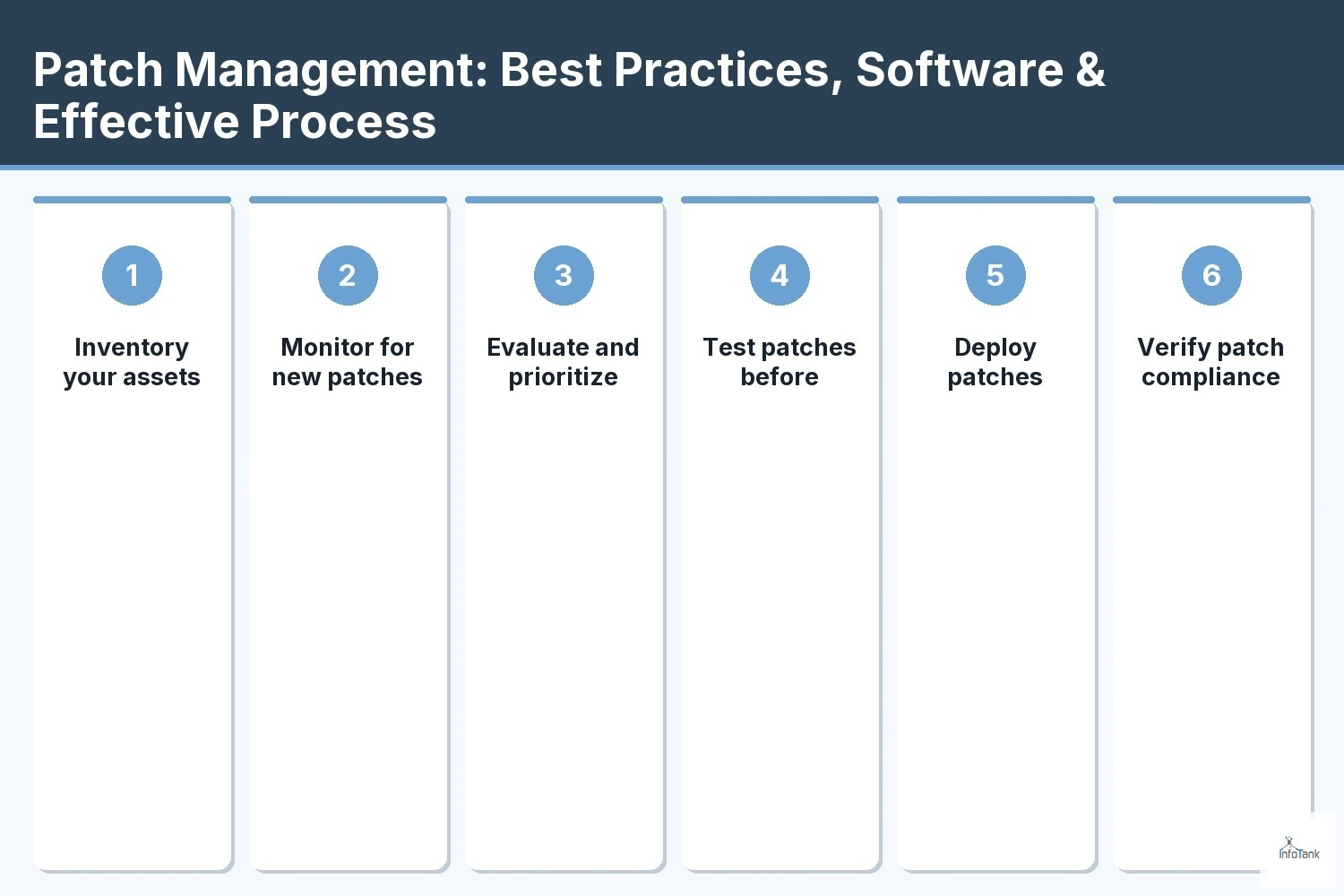
Step 1: Inventory your assets
Start by identifying all the devices, servers, and applications in your business. Knowing what you have makes it easier to track which systems need updates and which ones are most at risk.
Step 2: Monitor for new patches
Set up alerts or use patch management tools to find out when new patches are released. Many vendors announce updates on a regular schedule, like Microsoft’s Patch Tuesday, so you can plan.
Step 3: Evaluate and prioritize patches
Not all patches are equally urgent. Review each patch to see if it fixes a critical security vulnerability or just a minor bug. Prioritize patches that address the biggest risks first.
Step 4: Test patches before deployment
Before rolling out patches to your entire network, test them on a small group of devices. This helps you catch any problems that could disrupt your business operations.
Step 5: Deploy patches efficiently
Use automated patch management tools to roll out updates quickly and consistently. Automated tools reduce human error and help you stick to your patch schedules.
Step 6: Verify patch compliance
After deployment, check that all devices received the updates. Patch compliance reports help you spot any missed systems and prove you’re meeting security requirements.
Step 7: Document and review the process
Keep records of what patches were applied, when, and to which systems. Regularly review your patch management process to find areas for improvement.
Key benefits of a strong patch management program
A reliable patch management program offers several important advantages:
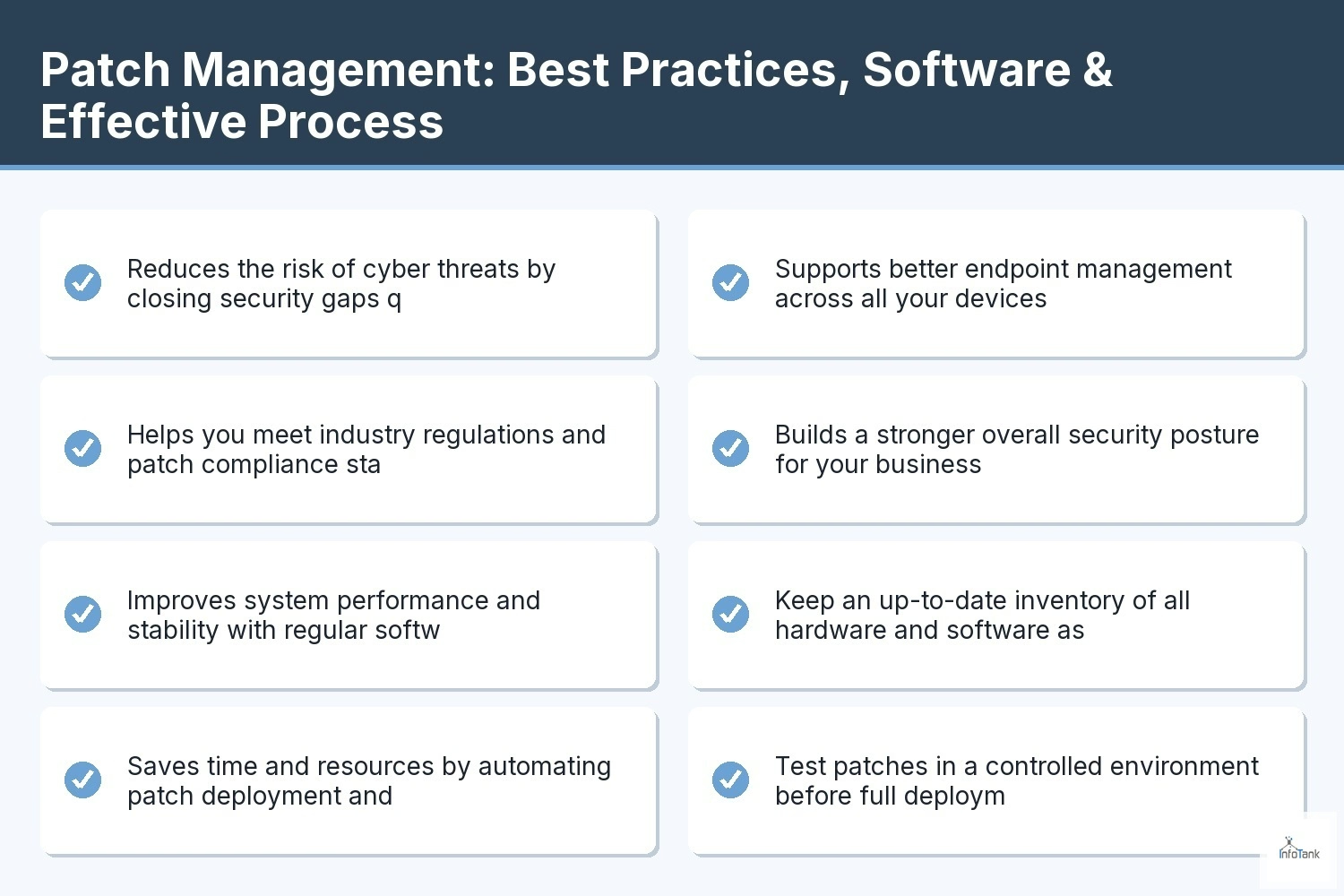
- Reduces the risk of cyber threats by closing security gaps quickly
- Helps you meet industry regulations and patch compliance standards
- Improves system performance and stability with regular software updates
- Saves time and resources by automating patch deployment and tracking
- Supports better endpoint management across all your devices
- Builds a stronger overall security posture for your business

Patch management lifecycle: Keeping your systems secure over time
The patch management lifecycle is an ongoing process that requires regular attention. As new vulnerabilities are discovered, software vendors release patches to address them. Your job is to keep up with these changes and make sure your systems stay protected.
A good patch management solution includes clear patch management policies, regular patch schedules, and a way to automate patch deployment. By following a consistent process, you can reduce the risk of cyber attacks and keep your business running without interruption.
Patch management tools and solutions: Choosing what works for you
There are many patch management tools and solutions available, each with its own strengths. Here’s what you should consider when choosing the right option for your business:
Option 1: Built-in operating system tools
Most operating systems, like Windows or macOS, come with basic patch management features. These can handle simple updates but may not be enough for larger or more complex environments.
Option 2: Third-party patch management software
Dedicated patch management software offers more advanced features, such as centralized control, automated patching, and detailed reporting. This is a good choice for businesses with many devices or strict compliance needs.
Option 3: Cloud-based management solutions
Cloud-based patch management solutions let you manage updates from anywhere. They’re ideal if you have remote workers or multiple office locations.
Option 4: Managed service providers
Some companies choose to outsource patch management to IT service providers. This can free up your internal team and ensure updates are handled by experts.
Option 5: Automated patch management tools
Automated tools help you schedule, deploy, and track patches with minimal manual effort. They’re especially useful for keeping up with frequent updates and reducing the risk of missed patches.
Option 6: Integration with vulnerability management
The best patch management solutions work alongside vulnerability management tools. This helps you identify which patches are most urgent based on real security risks.
Option 7: Customizable patch management policies
Look for tools that let you set your own patch management policies and workflows. Customization ensures the solution fits your business needs and compliance requirements.
Implementing patch management: Practical steps for your business
To get started with patch management, begin by setting clear patch management policies and assigning roles within your team. Decide how often you’ll check for updates and who will be responsible for each step. Use automated tools to handle routine tasks and reduce the risk of human error.
Regularly review your patch management process to make sure it’s working as expected. Track your progress with patch compliance reports and adjust your approach as your business grows. Staying proactive with patch management is key to improving your security posture and reducing downtime.
Best practices for patch management success
Following best practices can help you get the most out of your patch management program:
- Keep an up-to-date inventory of all hardware and software assets
- Test patches in a controlled environment before full deployment
- Schedule regular patching windows to minimize business disruption
- Use automated patch management tools to streamline updates
- Document your patching process and review it regularly
- Train your team on the importance of timely software updates
By sticking to these practices, you’ll improve security, reduce risk, and keep your business running smoothly.
How InfoTank can help with patch management
Are you a growing business looking for a reliable patch management solution? If you want to protect your systems, avoid downtime, and meet compliance standards, we can help. Our team specializes in patch management software and automated patch management tools designed to fit your unique needs.
We understand the challenges of keeping up with software updates and security patches. Let us take care of your patch management process so you can focus on running your business. Contact us today to learn how we can improve your security and efficiency.
Frequently asked questions
What is patch management, and why is it important?
Patch management is the process of identifying, testing, and applying software updates to computers and servers. This is important because it helps protect your business from cyber threats and keeps your systems running smoothly. By staying current with software updates, you reduce security vulnerabilities and improve overall system performance.
A strong patch management program also supports compliance with industry regulations. It ensures your business meets patch schedules and maintains a strong security posture. Regular patching is a key part of any effective IT management strategy.
How does patch management software work?
Patch management software automates the process of finding, testing, and installing patches across your network. It helps you track which devices need updates and schedule patch deployment to minimize disruption. This software can also generate reports to show patch compliance and help you meet regulatory requirements.
Using patch management software reduces manual work and the risk of missing important updates. It also supports endpoint management by keeping all your devices secure and up to date with the latest security patches.
What are the main steps in the patch management process?
The patch management process usually starts with inventorying your hardware and software assets. Next, you monitor for new patches, evaluate their importance, and test them in a safe environment. Once tested, you deploy patches to all relevant devices and verify that updates were successful.
Documenting each step and reviewing your management processes regularly helps you improve security and reduce the risk of missed patches. A clear workflow makes patch management more efficient and reliable.
What challenges can I expect with patch management?
One common challenge is keeping up with the volume of software updates and security patches released by vendors. It can be difficult to prioritize which patches to apply first, especially if you have a large or complex IT environment. Testing patches before deployment is also important to avoid disrupting business operations.
Automated patch management tools can help you manage these challenges by streamlining patch deployment and reducing manual effort. They also support patch compliance by tracking which systems have been updated and identifying any gaps.
How do automated patch management tools improve security?
Automated patch management tools help you deploy updates quickly and consistently across all your devices. This reduces the window of time that security vulnerabilities remain open, lowering your risk of cyber threats. Automation also helps you stick to regular patch schedules and avoid missing important updates.
By integrating automated tools with your vulnerability management strategy, you can prioritize patches based on real security risks. This approach improves your overall security posture and keeps your business protected.
What are the best practices for building an effective patch management program?
Start by creating clear patch management policies and assigning roles within your team. Keep an up-to-date inventory of all devices and software, and test patches before full deployment. Schedule regular patching windows to minimize business disruption.
Use management software to automate routine tasks and track patch compliance. Regularly review your patch management workflow and train your staff on the importance of timely updates. These best practices help you maintain a secure and efficient IT environment.